What it does

Five jobs, from your desk to your phone

AgentKib shows what each agent can see, lets you continue sessions from your phone or any browser, and keeps Skills and toolchains in order. Every write is reviewed first

The problem

Agent context is scattered across tools

Coding agents build up useful local state in project instructions, Skills, MCP connections, native configuration and conversation history. That state is fragmented between tools, so it is hard to know what an agent can see, reuse what you trust, or continue work somewhere else

  • Instructions
  • Skills
  • MCP
  • Native config
  • Session history

What does each agent actually see?

Check the effective Instructions, Skills, MCP connections and memory for a chosen agent and directory

Which assets can I trust and reuse?

Keep previewed, pinned Skills in one local library and see when a copy drifts

Can I switch tools and keep working?

Review a handoff from one agent's session into another instead of starting over
Each job in detail

Inspect

Inspect effective context

  • See the Instructions, Skills, MCP connections, memory and native configuration available to each agent in a workspace
  • Diagnose assets that are missing, drifted, invalid or duplicated
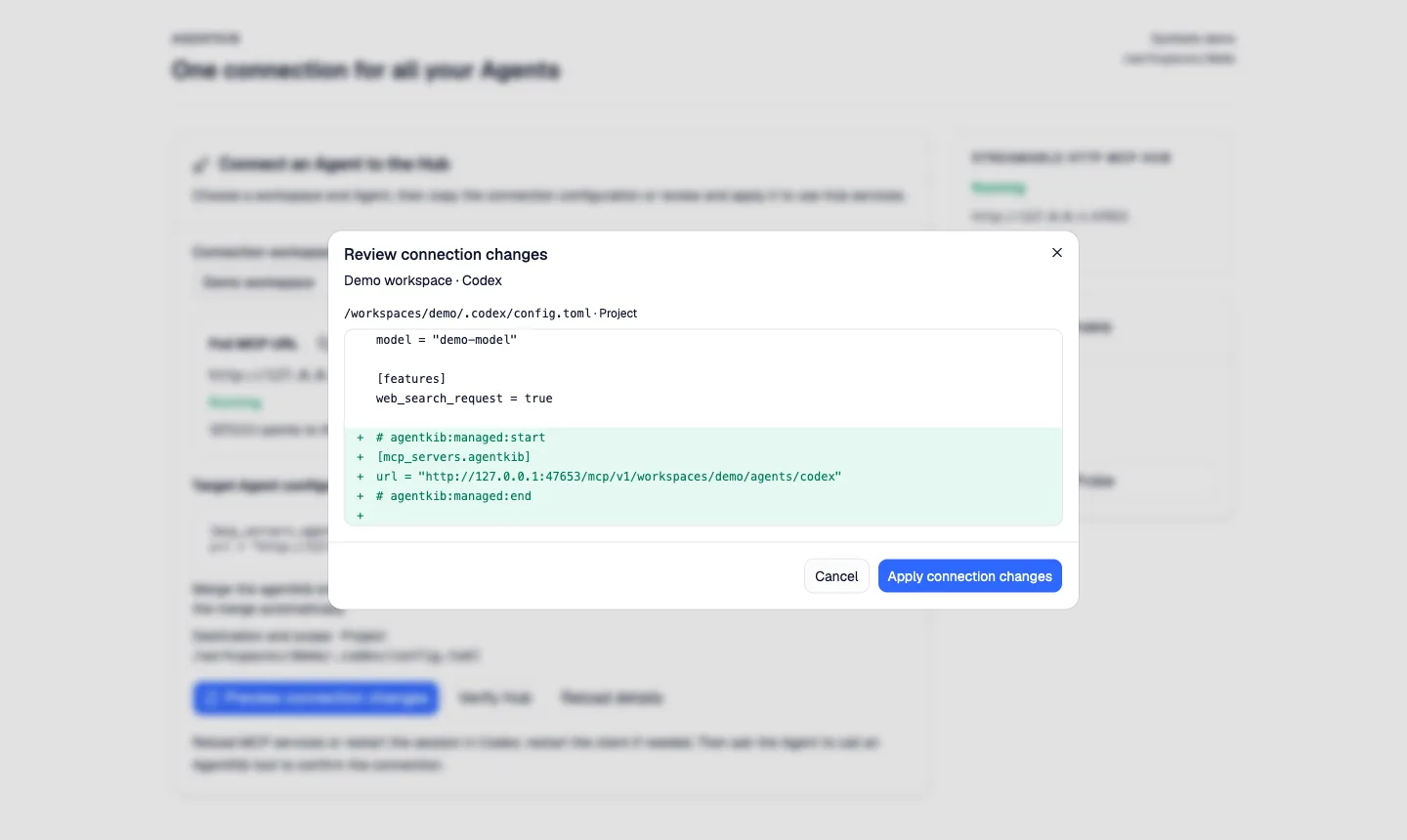
  • Review a complete ChangeSet and diff before anything is written
Review before write
Review connection changes dialog showing a diff for a Codex configuration file
Sample data. App screenshot shown in English
AgentKib Remote

Continue sessions from your phone or any browser

Check sessions, handle approvals and review results while your computer keeps the agents running
  • Pair once with an access code from your computer
  • Choose read-only or full control for each browser, and change or revoke it on your computer
  • Browser HTTPS ends on your computer, and the relay forwards ciphertext
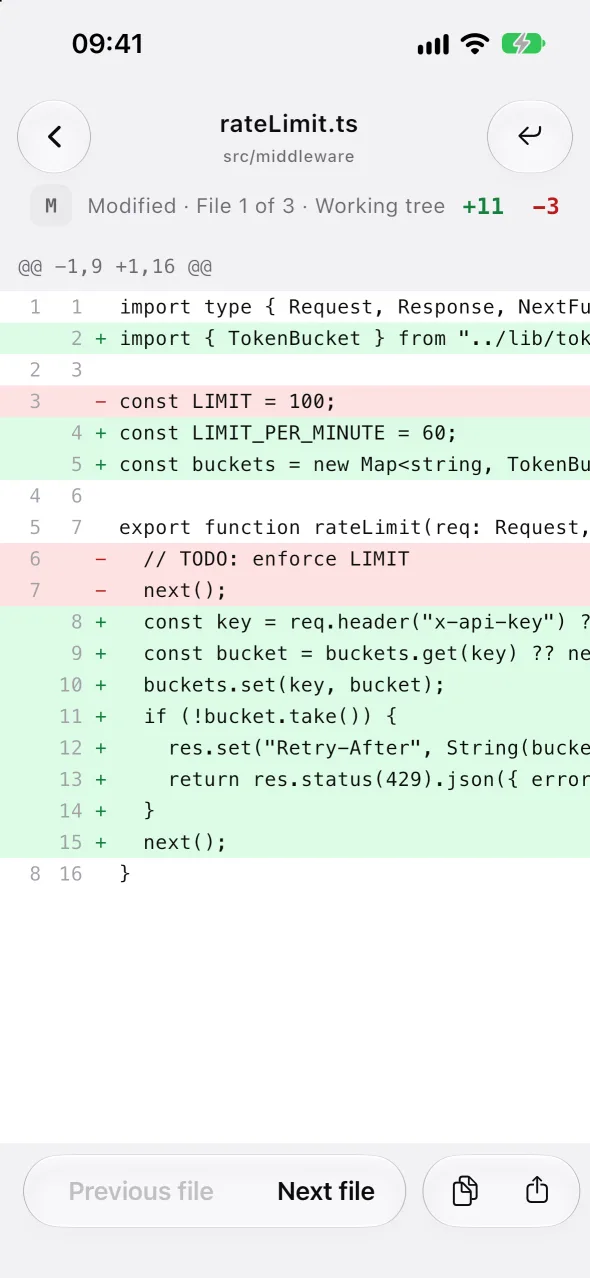
A file diff in the AgentKib app with numbered lines, added and removed counts and buttons for the previous and next file
Sample data. App shown in English
Sessions

Continue work across agents

  • Chat in place with local Codex, Claude Code and Antigravity sessions on the desktop: watch the live run, send messages and handle approvals and questions
  • Browse local sessions from Codex, Claude Code, Antigravity ACP, OpenCode, OpenClaw, Hermes and Grok Build, plus verified Cursor sources. Codex and Claude Code sessions show typed tool rows for commands, file edits and searches, with a per-turn file summary
  • Connect a Claude Code session already running in your terminal on macOS (CLI 2.1.301 or later, with the first-party Mods plugin) to watch it and stop the current turn. Sending stays off, and approvals stay in the terminal
  • Generate a reviewed handoff from Codex, Claude Code, Antigravity ACP and OpenCode sessions. Useful timeline context is kept, common sensitive values are masked, and nothing is written before you confirm
  • Optional search on the current machine. Program-started sessions are hidden by default, worktrees are grouped by repository, and Claude sessions can be deleted permanently
Review before write
Illustration
Skills

Manage reusable Skills

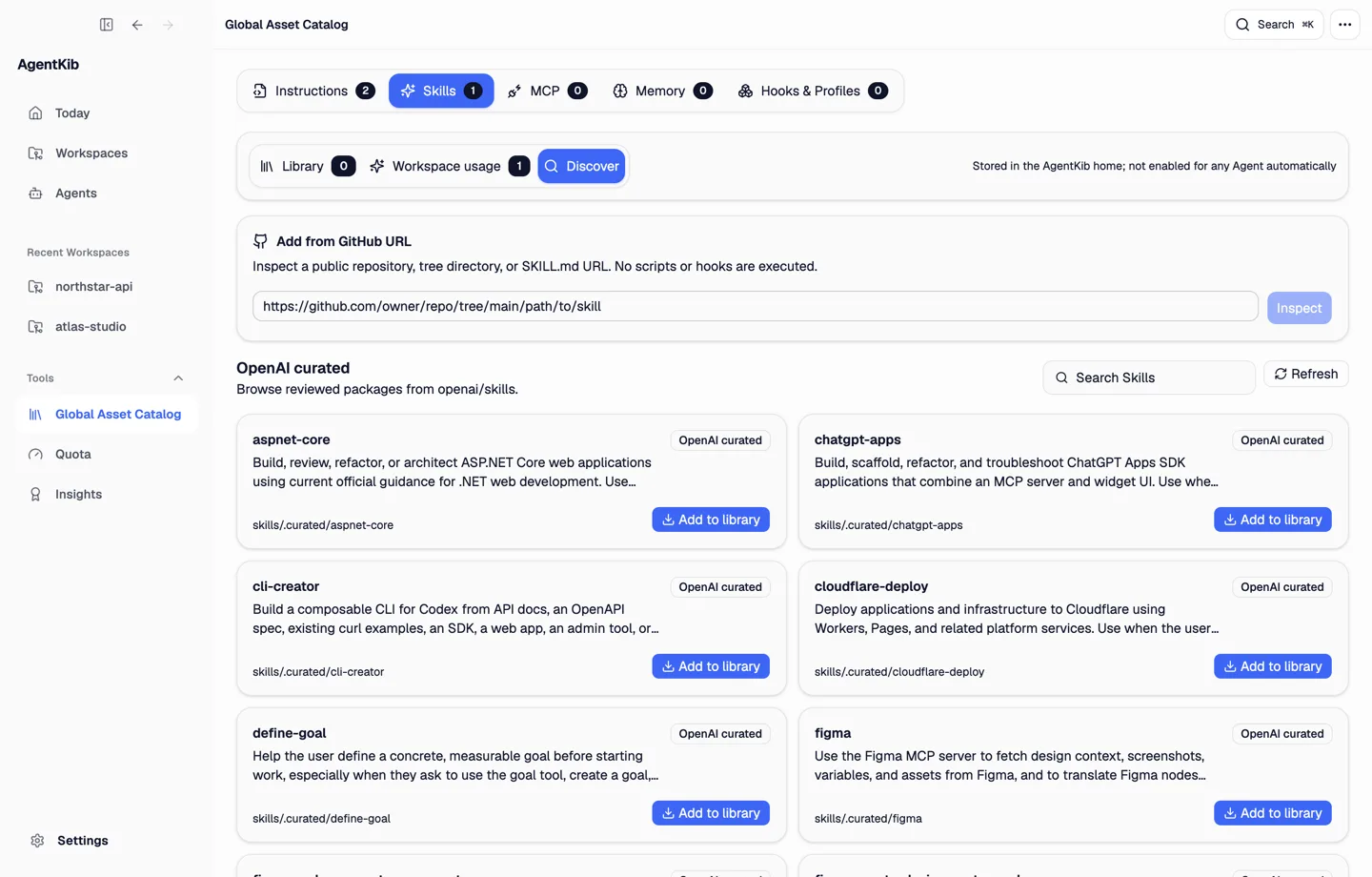
  • Browse the reviewed OpenAI catalog, or inspect a public GitHub repository before adding a package to your local library
  • Packages are pinned to an immutable commit, and GitHub packages can follow a tag, branch or commit you choose. Files and executable resources are previewed, and no package code runs
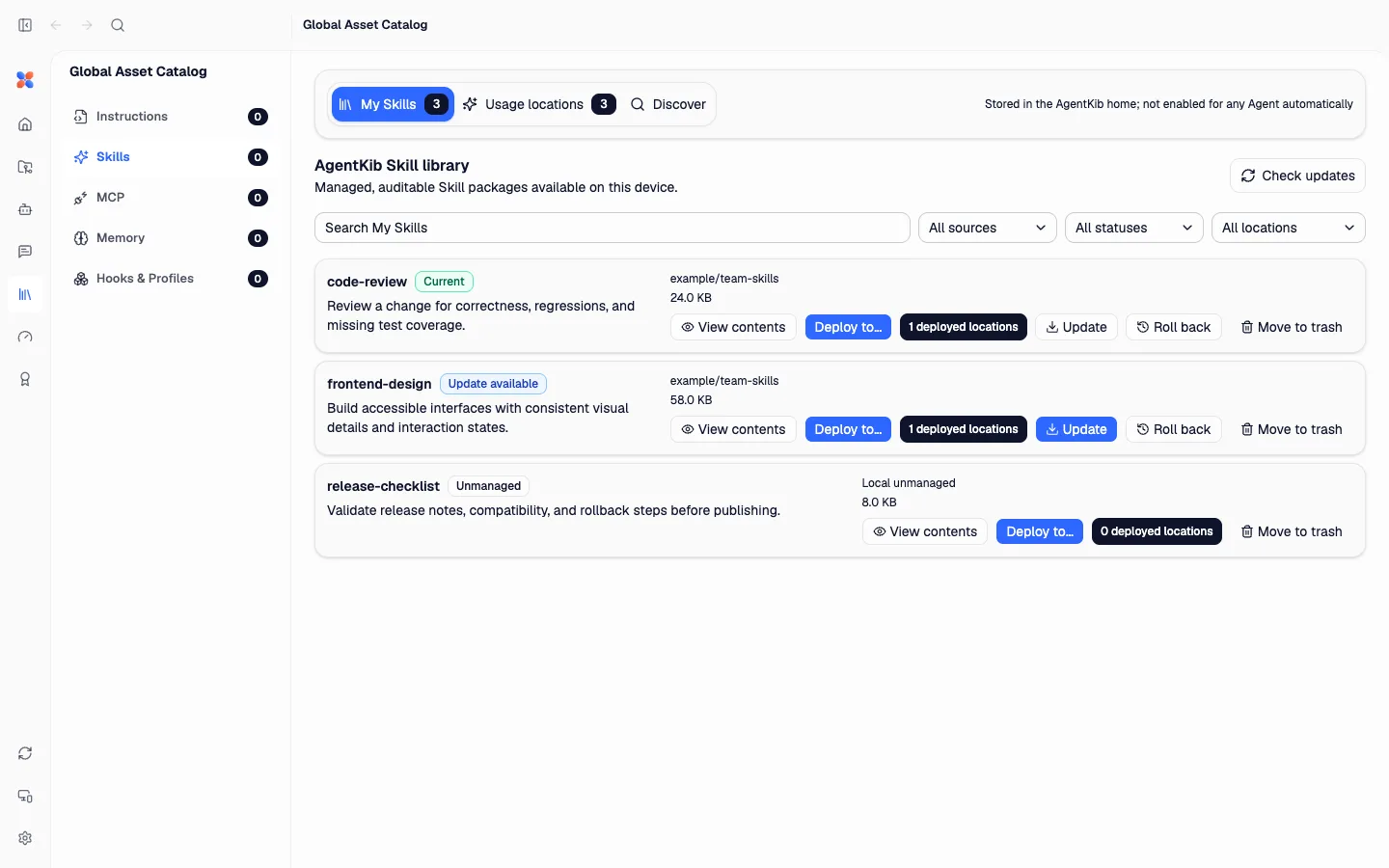
  • Update checks, local drift warnings, one-version rollback and recoverable removal
  • Inspect Skills already installed for your agents and copy them into the library
  • Library Skills are never enabled automatically. Review a deployment to a personal or project location; each deployment updates, rolls back or is withdrawn on its own, and locations you explicitly authorize can follow the library version
Skill Hub listing reviewed OpenAI Skills and an Add from GitHub URL field
Sample data. App screenshot shown in English
Skill library showing managed Skills with update, roll back and deploy actions
Toolchain

Maintain local toolchains

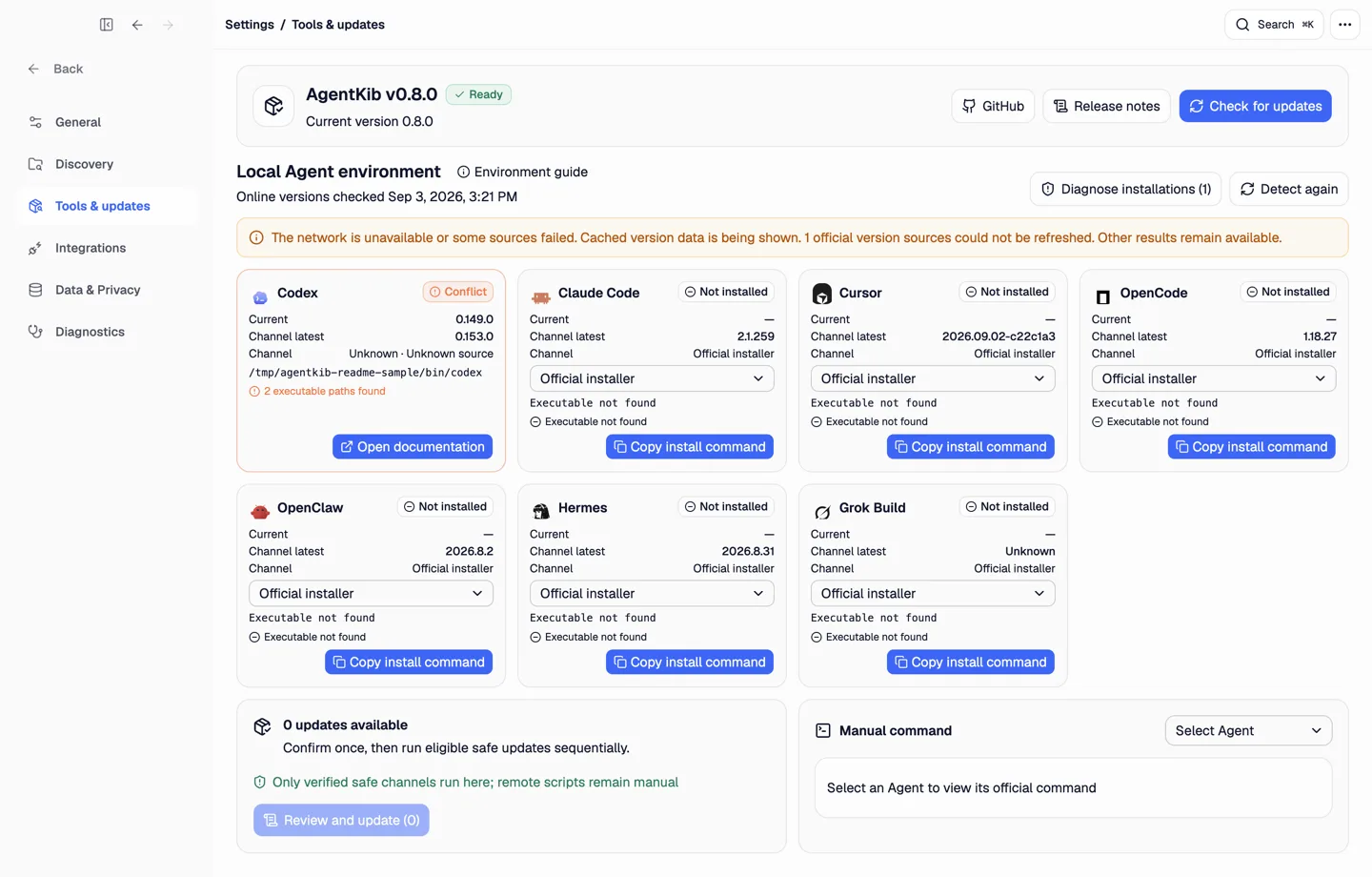
  • See each installation’s version, source, executable path, PATH default and conflicts for Codex, Claude Code, Cursor, OpenCode, OpenClaw, Hermes and Grok Build
  • Antigravity is detected and linked to its official documentation. AgentKib does not manage its packages
  • Pinned package-manager actions (npm, pnpm, bun, Volta) run directly. Anything unpinnable, from an unknown source, privileged or script-based shows a command or documentation for you to review
  • An update counts as done only after the tool is re-detected at the expected version
Tools and updates page listing detected agents with versions, sources and executable paths
Sample data. The version shown belongs to the screenshot
How it works

From discovery to a reviewed change

  1. Scan and discover

    AgentKib finds local workspaces and agent state on your machine

  2. Inspect and diagnose

    Preview the effective context and see what is missing, drifted or in conflict

  3. Review, then apply

    Each write is a ChangeSet with a full diff. Path boundaries and original hashes are checked and a backup is created

Discover
Preview
ChangeSet + diff
Write after approval

Browsing, previewing and diagnostics do not modify agent configuration